Case

Orka

A content tool that takes a blog post from keyword to published.

Orka is my own product idea for WordPress site owners. It audits the site, plans what to write, drafts the articles with AI and publishes them back. A working prototype I designed and built in about four weeks, now paused. The screens use a made-up coffee roaster as demo data.

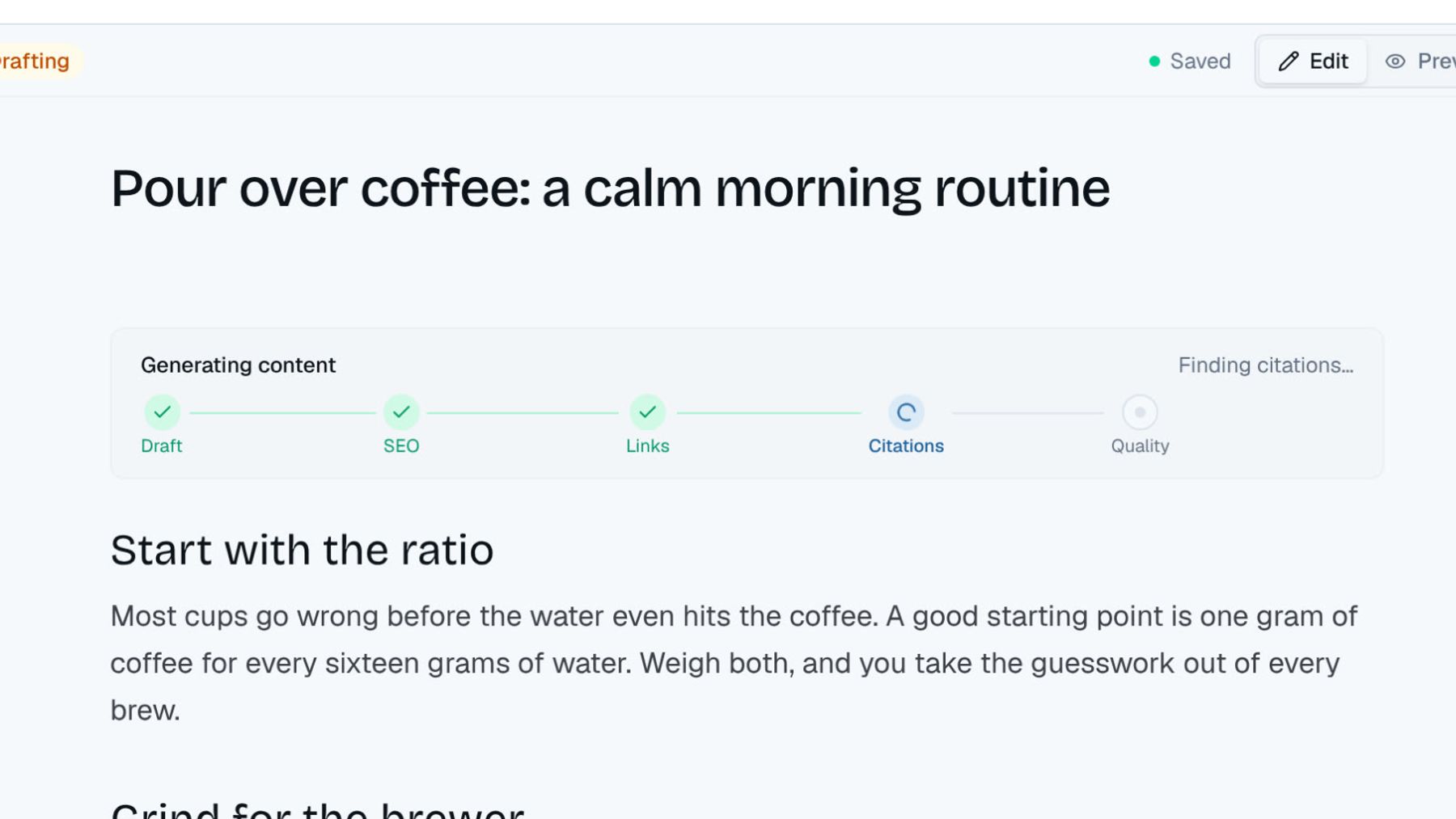
Orka editor: the generating panel ticks through draft, SEO, links, citations and quality, then the article is ready for review
The editor while a draft writes itself, one step at a time. Demo data.
Role
Product, UX/UI and build
Scope
Product, design, build
Timeline
2026

Context

A content team in one app

Orka is for people who own a WordPress site and know they should blog for search, but never get to it. It audits the site, plans campaigns, drafts the articles and publishes them on a schedule. I did the product, the UX/UI and the build, and used AI tools to write a lot of the code.
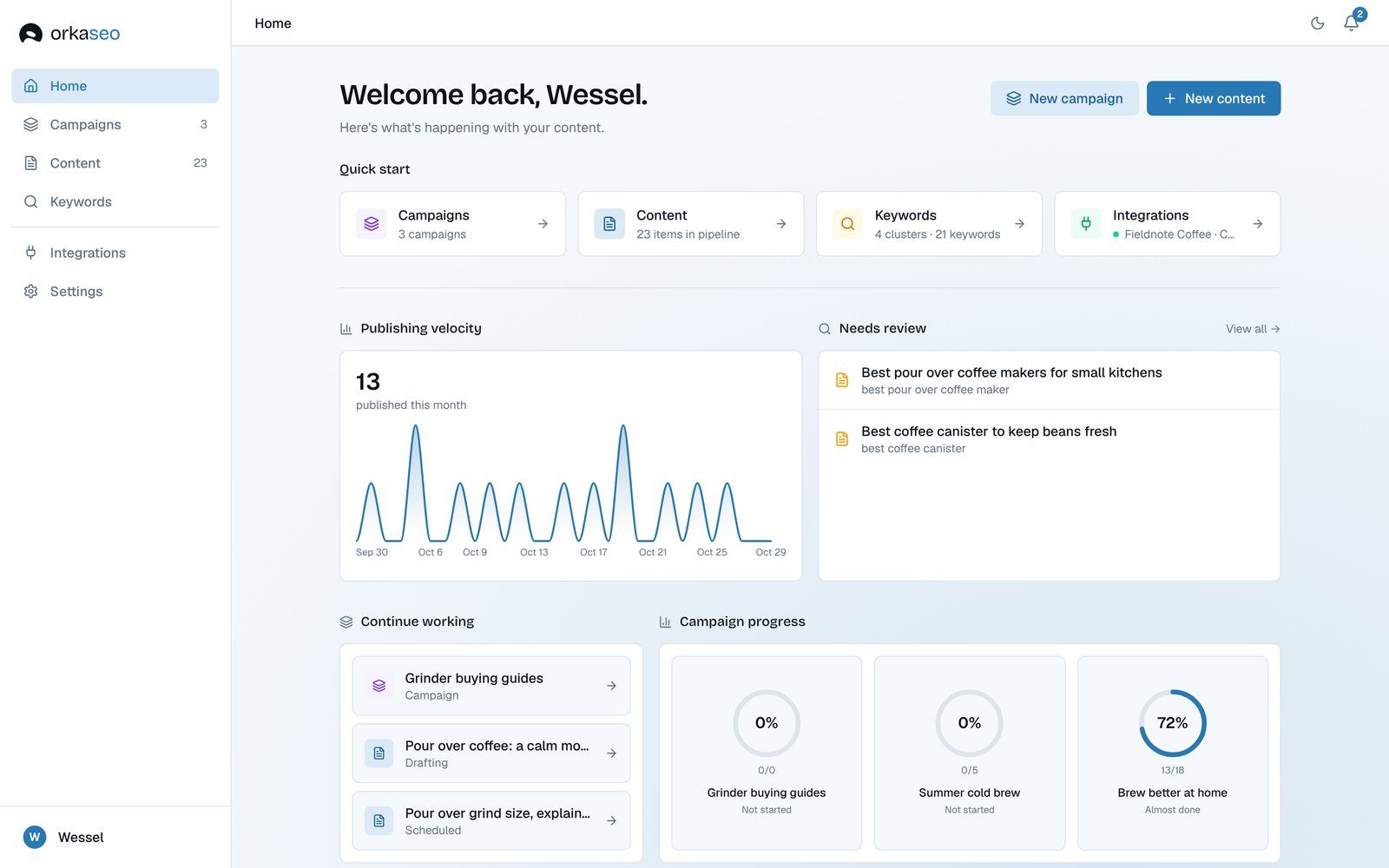
Orka home: publishing chart, articles that need review and progress per campaign
Home: what went out, what needs you, how far each campaign is.

Problem

The same chores for every post

Find a keyword, check the volume, write a brief, draft it, fill the meta title and description, add links, pick a date, publish. Every article runs the same steps, and most of them are copy and paste. That's slow, and it's the part people skip.

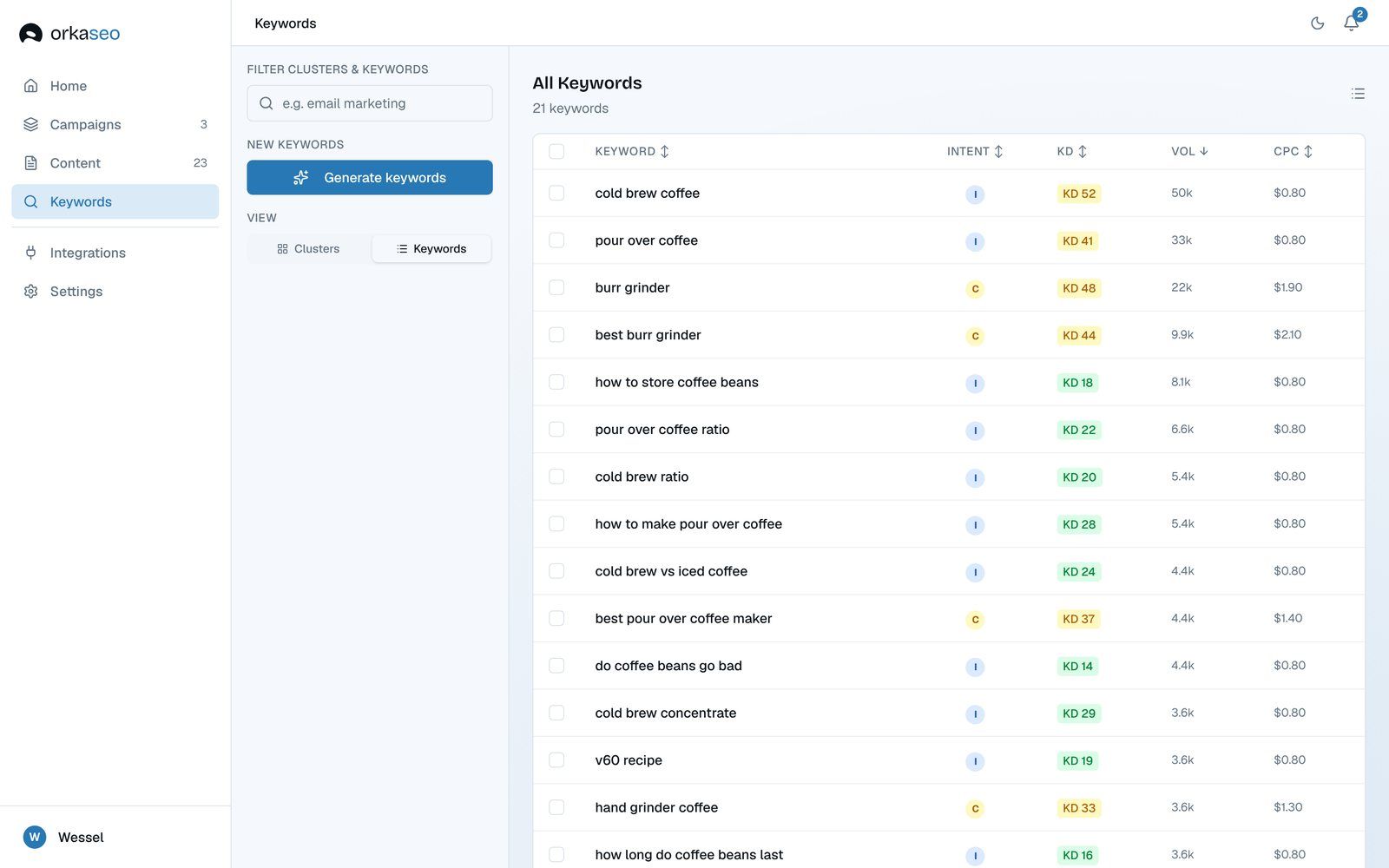
Orka keyword list with intent, difficulty, volume and cost per click per keyword
Keyword research: intent, difficulty and volume, per keyword.

Approach

Start from the site, not a blank page

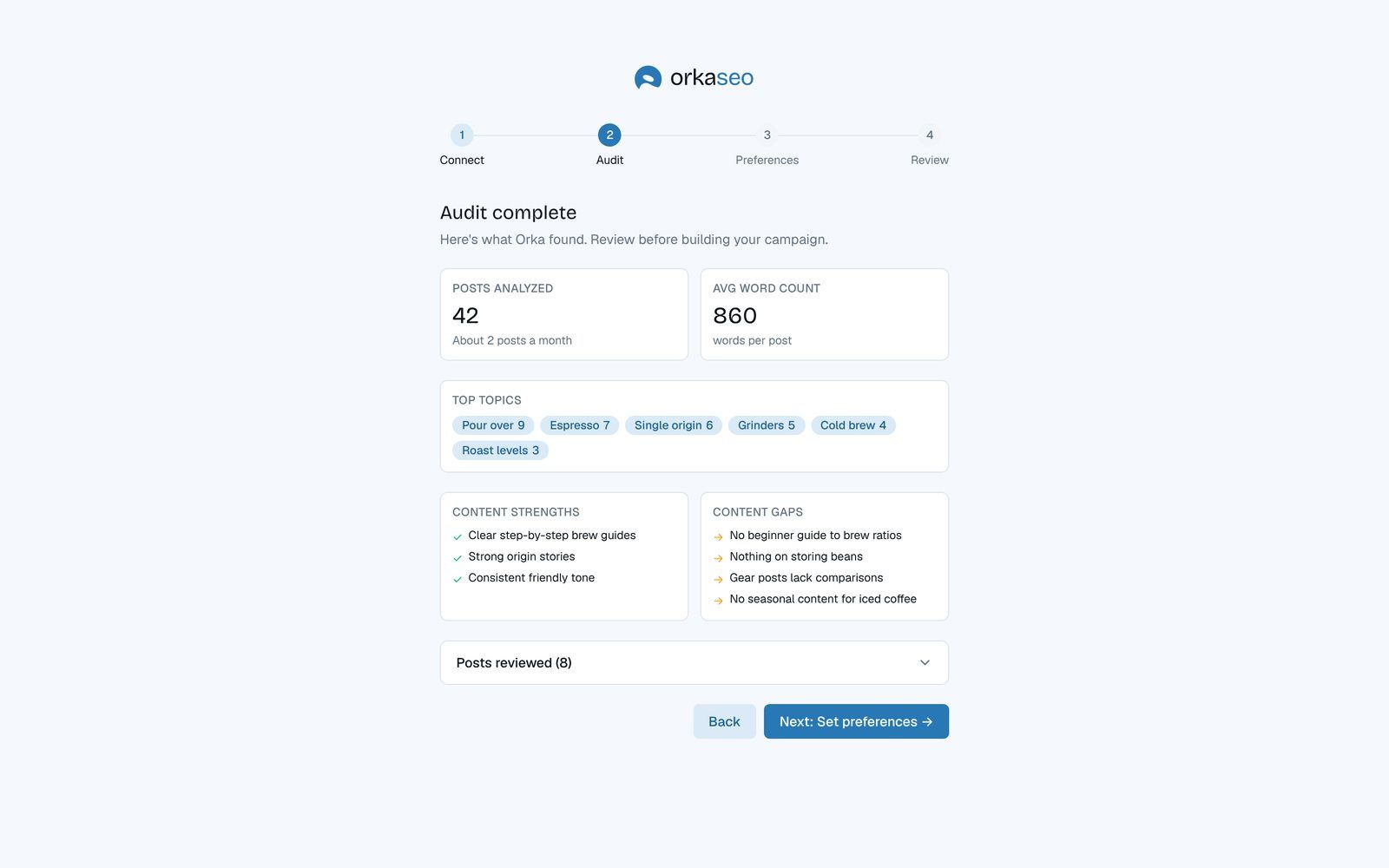
Onboarding connects the WordPress site and audits it first: how much is there, what it's about, what's missing. The first campaign is built from what the audit found, so nobody starts from an empty list.

Orka onboarding audit results: posts analysed, average word count, top topics, strengths and content gaps
Onboarding: the audit finds the topics and the gaps.

Design

Every article has a place in the line

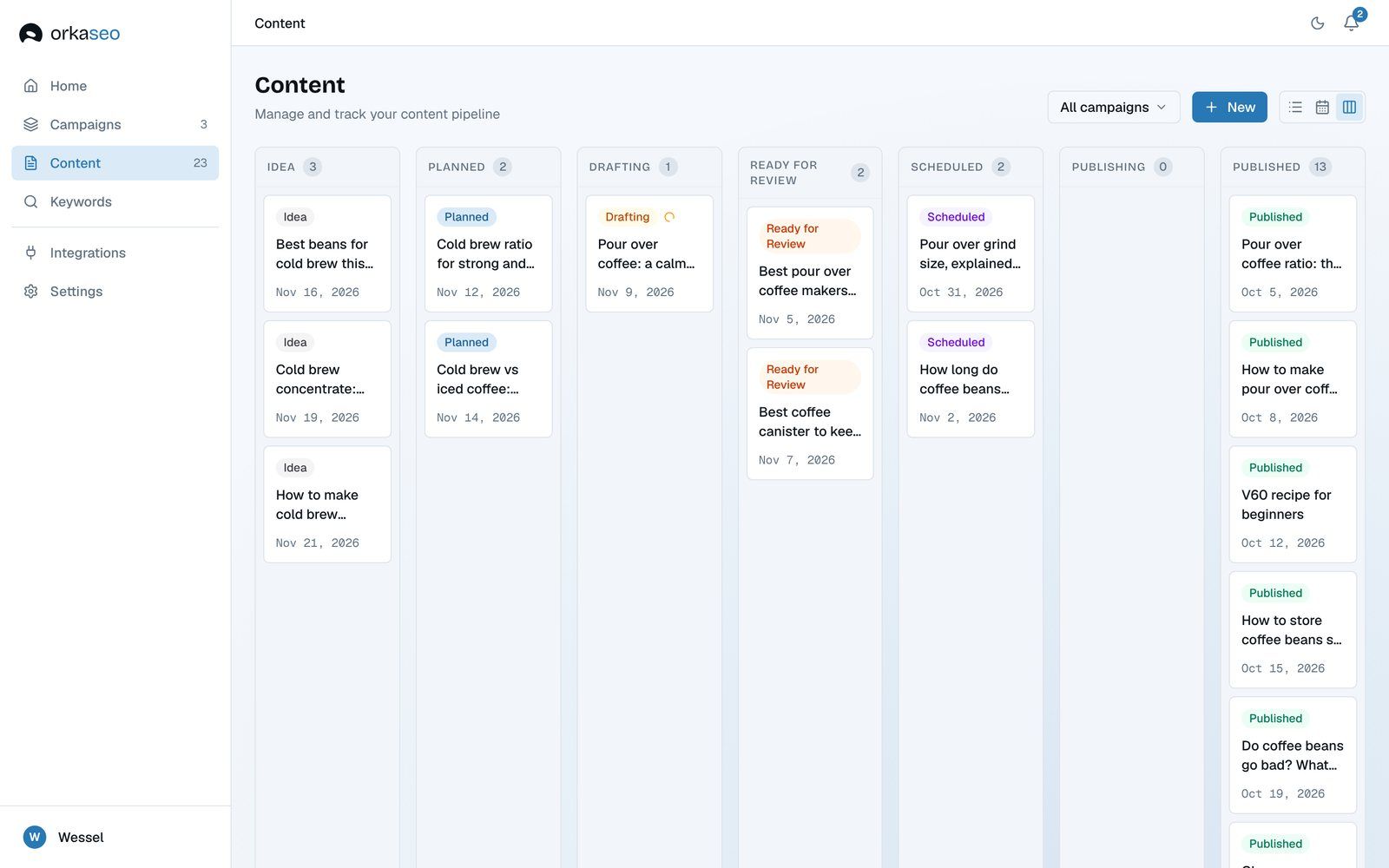
Every article moves through the same line: idea, planned, drafting, ready for review, scheduled, published. I kept that line visible everywhere, as a board, a list and a calendar, so you can always see what's next.

Orka content board with one column per status, from idea to published
The content board: one column per step.

Build

A pipeline, not one prompt

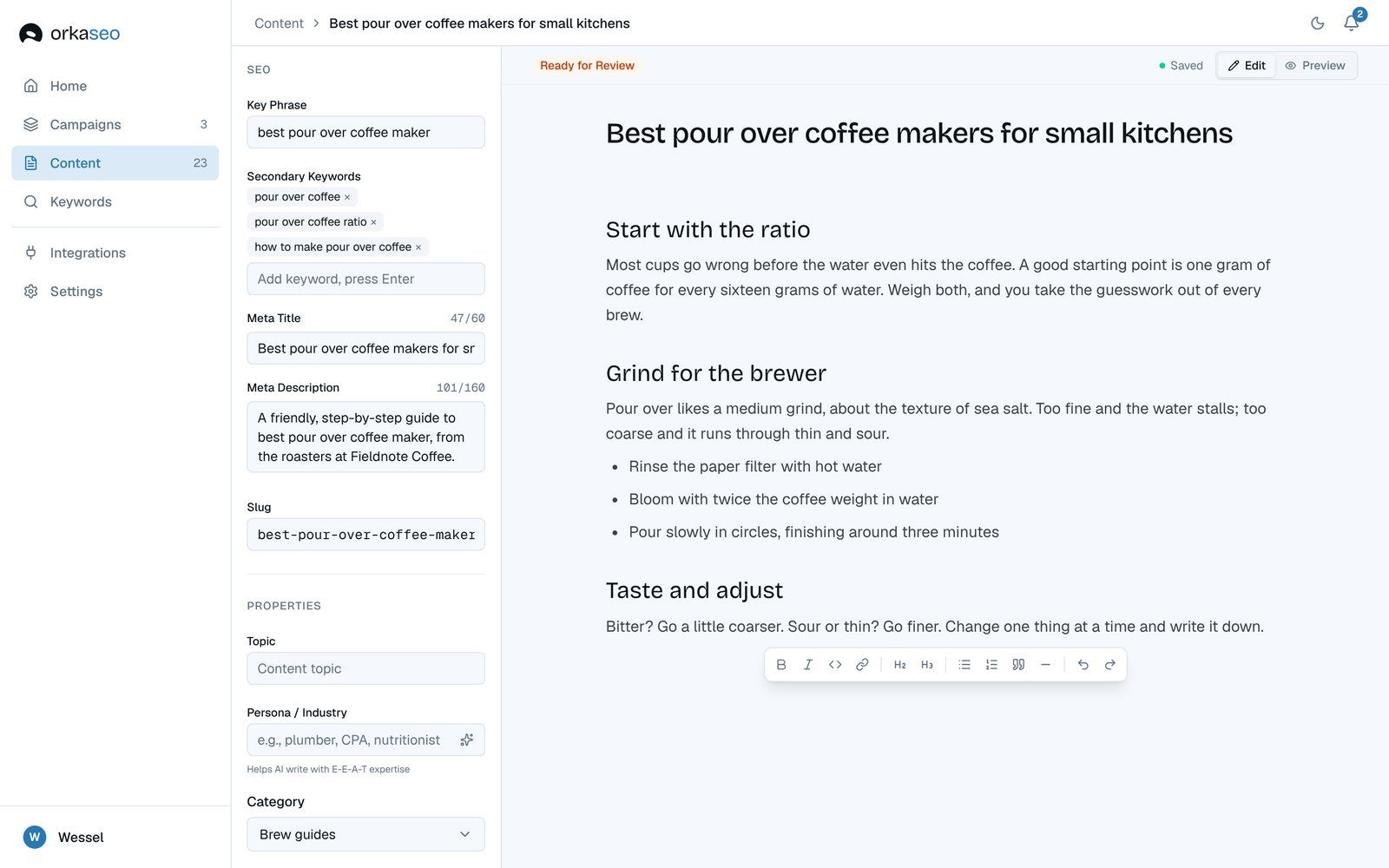
Writing an article runs in five steps: draft, SEO, links, citations and a quality check. The editor shows each one as it runs, so you see what it's doing instead of a spinner. Next.js and Convex underneath, Claude for the writing, DataForSEO for the keyword data.

Orka editor with SEO fields on the left and the finished article on the right
The editor after the steps: keywords and meta on the left, the article on the right.

Takeaway

The data was there. The app didn't use it.

My own notes from when I paused it say it best: the SEO data was in a good spot, but the app almost never used it. If I pick Orka up again, that's where I start.

Next project

UI motion study

Users tapped through the interface without knowing what had changed. A panel opened, a list updated, a state flipped, and nothing told them where to look. Now each moment moves just enough to explain itself.

Timeline
2026
Role
Motion designer
Tools
  • Figma
  • After Effects
  • LottieFiles